
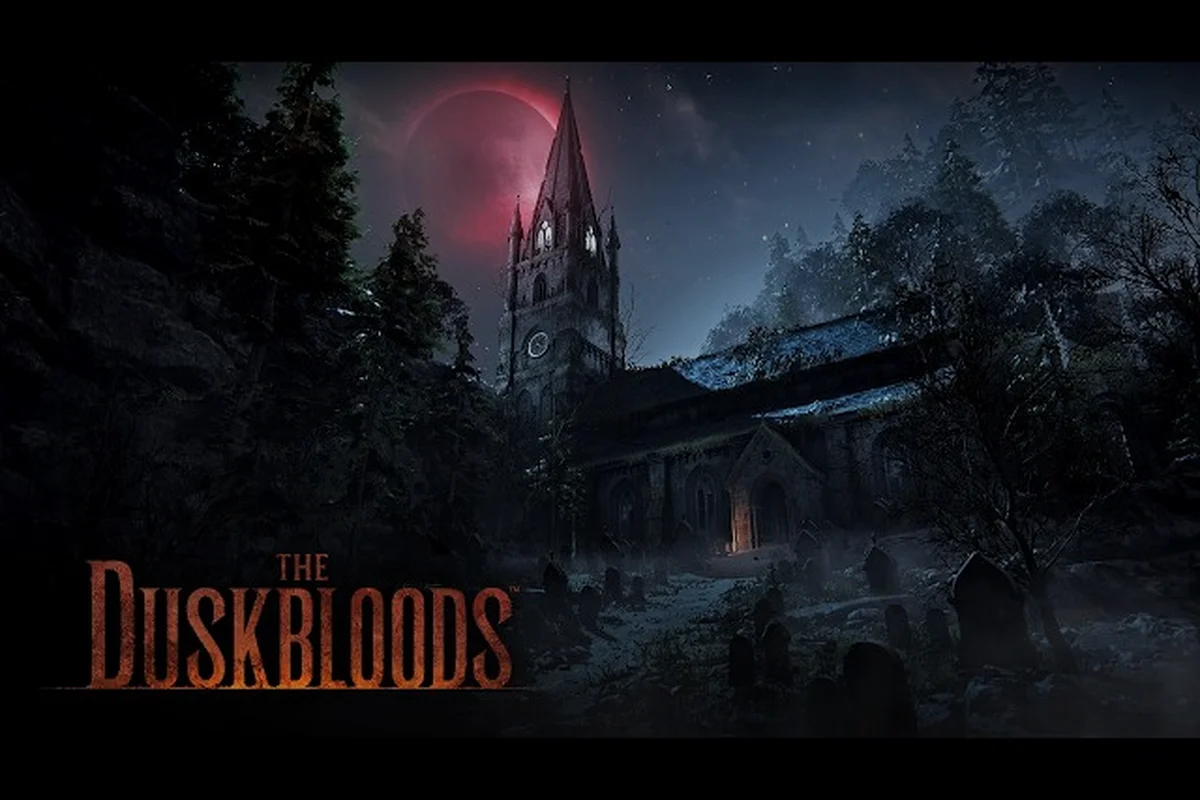
The closed network test for The Duskbloods runs August 21–24, 2026, but the application window already closed on July 28. If you missed the sign-up, you cannot play unless you received a download code from the selection lottery — and those codes go out starting August 18. Here is everything we know about the schedule, the redeem process, and what you should expect when you load into your first Dusk Battle.
-
The network test is time-limited, so mark your calendar and set an alarm for the exact start time in your region.
-
You'll need a stable internet connection and a valid copy of the game pre-loaded to join the test session.
-
Progress made during the test does not carry over to the full release, so treat it as a sandbox to experiment freely.
-
Check official channels for the test schedule, as dates and times may shift due to server maintenance or regional adjustments.
-
If you miss the window, don't worry—there may be additional test phases announced later, so stay tuned to the community hub.
Can I Play The Duskbloods Network Test Right Now?
The short answer is no, not yet — because the network test sessions have not started. The official application site at campaign.theduskbloods.jp confirms the test window spans August 21–24, 2026, with multiple sessions scheduled across those four days. Applications closed on July 28, and the selection results were announced on August 7.
What this means for you depends entirely on the date you are reading this guide. If the closed network test has not yet begun, you still have time to register for the lottery and prepare your Nintendo Switch 2. If the test sessions have already concluded, the information below will help you understand what the experience involved, and you can look forward to the full release of The Duskbloods, which remains scheduled for 2026 with no exact date announced as of August 8, 2026.
-
Before August 18: You cannot play yet, but you can still check your application status on the official site.
-
August 18–20: Download codes are being distributed to selected players via email.
-
August 21–24: The actual test sessions run. You can only play during these specific windows.
-
After August 24: The network test is over. Your progress will not carry over to the full game.
If you were selected, your duskbloods network test redeem code will arrive by email on or after August 18. The code is tied to your Nintendo account, so you cannot share it or sell it — each code works for exactly one Nintendo Switch 2 console profile.
What If I Missed the Application Window?
If you did not apply by July 28, you are out of luck for this test. FromSoftware has not announced any additional waves or public beta plans for The Duskbloods. The only path into the network test is the selection lottery, and the results have already been finalized.
That said, community reports suggest that a small number of codes may surface through official giveaways on the Nintendo Switch 2 social channels and FromSoftware's YouTube channel. Following those accounts is your best bet if you want a last-minute chance, though the odds are slim.
Duskbloods Network Test How to Play: Step-by-Step Setup
Getting into the test is straightforward if you have a valid code. The process involves redeeming your code on the Nintendo eShop, downloading the client, and then waiting for the correct session window to open. Here is the full breakdown.
Step 1: Redeem Your Code on the Nintendo eShop
Your duskbloods network test redeem code arrives via the email address linked to your Nintendo account, so be sure to check that inbox regularly starting August 18, 2026. To redeem it, open the Nintendo eShop on your Switch 2, select 'Enter Code' from the menu, and type the 16-character code exactly as shown in the email. After confirmation, the test client will begin downloading automatically, and you will be able to launch it during any of the five scheduled sessions running from August 21 to August 24.
-
Open the Nintendo eShop on your Switch 2 console.
-
Select "Enter Code" from the menu on the left.
-
Type in your 16-character code exactly as shown in the email.
-
Confirm the download — the test client is roughly 4–6 GB based on typical FromSoftware network test sizes.
-
Wait for the download to finish before the first session starts.
The code is single-use, meaning it cannot be shared or transferred once activated. Once redeemed, it is permanently tied to your Nintendo account, and the test client will appear in your library as a separate title from the full game, so you will not need to worry about it overwriting any future save data or interfering with the final release. This also means that if you delete the test client, you can re-download it from your library without needing a new code, as long as your account remains linked.
Step 2: Check the Session Schedule
The network test runs August 21–24 with multiple sessions each day. You do not need to be online for every session — you just need to play during at least one of them. According to the official site, each session lasts roughly 3 hours, with breaks in between for server maintenance and data collection.
| Session Date | Expected Session Times (JST) | What to Expect |
|---|---|---|
| August 21 | 10:00–13:00 and 19:00–22:00 | First public stress test, highest server load |
| August 22 | 10:00–13:00 and 19:00–22:00 | Repeat sessions, bug fixes from Day 1 |
| August 23 | 10:00–13:00 and 19:00–22:00 | Mid-test balance adjustments possible |
| August 24 | 10:00–13:00 only | Final session, closing survey available |
These times are based on the official announcement and may shift slightly depending on server stability, which is a common occurrence during large-scale online tests. FromSoftware has not confirmed whether all regions run on the same schedule, so check the official page for your region's specific times before planning your sessions. Each of the five sessions lasts four hours, and the test spans August 21 through August 24, 2026, so even if one session is delayed, you will have multiple opportunities to participate in the Dusk Battles.
Step 3: Launch the Client and Create Your Bloodsworn
Once the session starts, launch the test client from your home screen. You will be prompted to create your Bloodsworn — the player character type in The Duskbloods. The character creator is limited compared to the full game, but you can still customize appearance and starting loadout.
After character creation, you will enter the hub area where you can matchmake into a Dusk Battle. The network test focuses on the core 8-player multiplayer loop, so expect to spend most of your time in matchmade battles rather than exploring a large open world.
Duskbloods Network Test What to Expect: Core Modes and Mechanics
The network test gives you a slice of the full game, but it is not the complete experience. Based on the official reveal at the June 2026 Nintendo Direct and the tech breakdown from TechRadar, the test focuses on the Dusk Battle mode — an 8-player multiplayer format with a unique win condition.
Dusk Battle: Victory Points System
The core loop of The Duskbloods network test revolves around Victory Points. Unlike traditional battle royale modes where the last player standing wins, Dusk Battle rewards you for completing objectives and surviving. The player with the most Victory Points when the timer ends takes the win.
| Victory Point Source | Points Earned | Risk Level |
|---|---|---|
| Defeating another Bloodsworn | 3 points | High — you expose yourself to third parties |
| Looting a moontear cache | 2 points | Medium — caches are contested |
| Completing a dynamic event | 5 points | High — events attract multiple players |
| Surviving until the final 2 minutes | 1 point per minute | Low — passive income |
| First Blood bonus | 2 bonus points | High — only the first kill of the match qualifies |
The Victory Points system encourages aggressive play, but it also rewards smart positioning. You can win without fighting anyone if you consistently secure moontear caches and complete events — though you will likely need to defend those objectives from other players.
Temporary Alliances and the Rivalry System
One of the most interesting mechanics in the network test is the temporary alliance system. You can team up with another player mid-match, but the alliance only lasts until one of you reaches a certain Victory Point threshold. After that, you become rivals again, and the game actively encourages you to hunt your former partner.
This creates a fascinating tension: cooperating is efficient, but eventually you will need to betray your ally to secure the win. Community reports from the reveal trailer suggest this system will be a defining feature of the full game, and the network test is your first chance to experience it.
Dynamic Events During Matches
Each Dusk Battle features dynamic events that spawn randomly across the map. These events include moontear meteor showers, NPC Bloodsworn invasions, and environmental hazards like collapsing structures. Completing these events awards significant Victory Points, but they also draw attention from other players.
For a deeper breakdown of the multiplayer mechanics and how to optimize your approach, check out our The Duskbloods PvP guide. That guide covers the nuances of Victory Points, the importance of dynamic events like boss encounters, and how to leverage your Bloodsworn abilities such as sprinting and double jumping to outmaneuver opponents. It also explains how personal goals like Destined Rivals and Destined Companion can shape your strategy, giving you a competitive edge before you even enter your first Dusk Battle.
Duskbloods Network Test Tips: How to Make the Most of Your Sessions
You only get a few hours across four days, so you want to maximize the value of every session. Here are the best practices reported by players who participated in previous FromSoftware network tests: first, prioritize learning the movement system, since sprinting, super jumping, and double jumping are core to survival. Second, experiment with different characters to find one whose melee weapon and ranged firearm suit your playstyle, as the 12+ playable characters have unique loadouts. Finally, focus on completing personal objectives like Destined Rivals or Destined Companion, as these contribute to your Blood History and Blood Fate, which carry over to hub customization even if you lose the match.
Tip 1: Prioritize Dynamic Events Early
In the first 10 minutes of a match, most players are still learning the map and fighting over initial spawns. This is the best time to complete dynamic events because fewer players are contesting them. The 5-point reward for events is the highest single source of Victory Points in the test, so securing even one or two events early gives you a significant lead.
Tip 2: Learn the Map Layout During the First Session
Do not worry about winning your first match. Use the first session to memorize the map layout — where moontear caches spawn, which routes are safest, and where dynamic events tend to appear. Players who skip this step waste their best learning opportunity, because the map layout will likely carry over to the full game.
Tip 3: Experiment with Different Bloodsworn Builds
The network test includes a limited version of the Blood History and Blood Fate customization system. Use each session to try a different build, because you will not get another chance to test these combinations before the full release. Focus on understanding how different weapons and abilities interact with the Victory Points system.
Tip 4: Play During Off-Peak Sessions
If your schedule allows, try playing during the second session of each day rather than the first. The first session typically has the highest server load, which means more lag and potential disconnects. The second session often runs smoother as the team applies hotfixes based on the morning's data.
Tip 5: Record Your Gameplay
The network test is your only preview of the game before launch. Record your sessions and review them afterward to identify mistakes and refine your strategy for the full release. This is especially valuable if you plan to play competitively — the skills you build in the test will transfer directly.
For more foundational knowledge before you jump in, read our The Duskbloods how to play guide covering beginner mechanics and hub area essentials. That guide explains how the hub area evolves based on your Blood History and Blood Fate, and it details how rewards are earned whether you win or lose a Dusk Battle. It also walks you through the basics of combat, including how to switch between your unique melee weapon and your firearm, and how to use superhuman movement to navigate the Gothic/Victorian environments, such as the train level featured in the announcement trailer.
Network Test Requirements and Technical Considerations
Before you get excited about playing, make sure your setup meets the requirements. The network test is Switch 2 exclusive, and it requires an active Nintendo Switch Online membership — the official site lists this as a mandatory requirement, so you cannot participate without it. Additionally, you must have a stable internet connection and enough storage space for the test client, which will be a separate download from the full game. If you are selected through the lottery, your code will be sent to the email linked to your Nintendo account, so verify that your account details are up to date before the sign-up period ends on July 28, 2026.
| Requirement | Details |
|---|---|
| Console | Nintendo Switch 2 only (not original Switch) |
| Membership | Active Nintendo Switch Online subscription required |
| Internet | Stable connection with at least 10 Mbps download recommended |
| Storage | 4–6 GB free space for the test client |
| Nintendo Account | Must be linked to the email where you received the code |
If you do not have a Nintendo Switch Online membership, you will need to purchase one before the test starts. The standard individual plan costs $3.99/month or $19.99/year, and you can cancel after the test if you do not plan to keep playing online.
What Happens After the Network Test Ends?
When the final session concludes on August 24, the test client becomes unplayable. Your character data, Victory Points, and any progression do not carry over to the full game. FromSoftware has not announced a release date for The Duskbloods beyond "2026," so the network test is essentially your only hands-on experience until launch.
The official trailer coverage we put together for The Duskbloods official trailer includes analysis of the gameplay footage shown at the Nintendo Direct, which gives you a good idea of what the full game will look like beyond the test content.
Frequently Asked Questions
Can I still apply for The Duskbloods network test?
No, the application window closed on July 28, 2026. FromSoftware has not announced any additional application waves. Your only chance to play is if you already applied and received a download code through the selection lottery, which was finalized on August 7.
When will I receive my duskbloods network test redeem code?
Download codes are distributed starting August 18, 2026, via the email address linked to your Nintendo account. If you were selected, the code will arrive before the first test session on August 21. Codes are single-use and cannot be transferred to another account.
What are the session times for the network test?
The test runs August 21–24 with multiple 3-hour sessions daily. The official schedule lists morning and evening sessions in JST, though regional times may vary. Check the official campaign page for your region's specific times, and note that the final day has only one session.
Do I need Nintendo Switch Online to play the network test?
Yes, an active Nintendo Switch Online membership is required. The network test is Switch 2 exclusive and relies on online multiplayer infrastructure. If you do not have a membership, you will need to purchase one before the test client launches.
Will my network test progress carry over to the full game?
No, all progress from the network test is wiped when the test ends on August 24. Victory Points, character customization, and any unlocked items are reset. The test exists purely to stress-test servers and gather gameplay data, not to provide early progression.